How to Change SRD Phone Number in 2026 — All Methods
Change SRD phone number is the single most important piece of information tied to your R370 grant. Every OTP, every payment notification, and every status update from SASSA goes straight to that one number. If it is wrong, lost, or inactive, you cannot make any changes to your account and in some cases you can miss payments entirely.
This guide covers every working method in 2026, the new biometric face scan that most people do not know about, and exactly what to do if you cannot get an OTP. Read the section that fits your situation you do not need to go through all of it.
Quick answer:
Go to srd.sassa.gov.za/sc19/mobile-number-update, enter your 13 digit SA ID number, pick your reason, complete the identity check, then enter your new number. A PIN arrives by SMS. Changes go live within 48 to 72 hours. You no longer need your Application ID just your SA ID number
Why Your Phone Number Matters for the SRD Grant
SASSA uses your registered cellphone number for four things that directly affect your money:
If the number on your SRD profile is wrong or no longer active every one of those messages goes nowhere. The most common reasons people need to change their number
|
Reason |
What to Do |
|---|---|
|
Phone stolen or lost |
Select “Lost phone” on the update form; use bank last 4 instead of OTP |
|
SIM card inactive or expired |
Try a SIM swap first; if that fails, use the online update form |
|
Applied with someone else’s number |
Select “Used third party phone” as your reason on the form |
|
Switched network provider |
Standard online update enter new number, receive OTP |
|
Typed the wrong number at application |
Select “Captured number wrong” on the form |
|
Fraudulent change someone else updated it |
See the fraud section below act the same day |
What You Need Before You Start
Good news first you no longer need your Application ID. SASSA removed that requirement in 2026. All you need is your South African ID number.
Always needed
• 13-digit SA ID number
• New active SIM card
Only for lost phone route
• Last 4 digits of your bank account
• Phone camera (face scan)
For an office visit, also bring your original ID book (not a photocopy) and recent proof of address.
All 5 methods — pick what fits your situation
Method 1 — Online portal (fastest)
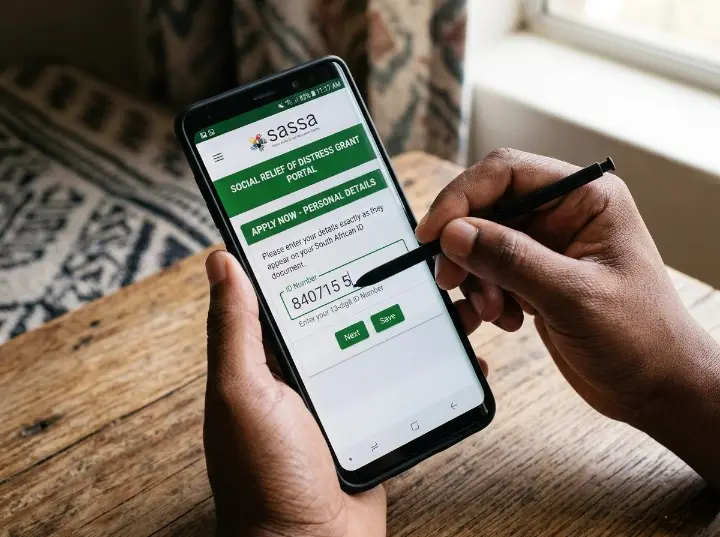
Ready in 48 to 72 hours
Go to srd.sassa.gov.za/sc19/mobile-number-update — type this yourself, never click a link from an SMS or stranger.
You can only submit one request per ID number every 24 hours. If the page does nothing after you enter your number, you typed the wrong number use the Lost phone path instead.
Method 2 — WhatsApp
Up to 14 days
Good if the website is slow or you prefer chatting. Uses data, not airtime.
If 082 046 8553 is slow, try the second official channel: 0600 123 456. Avoid any other WhatsApp numbers claiming to be SASSA they are scammers.
Method 3 — SASSA helpline
Up to 14 days
Call 0800 60 10 11 free from any South African network, Monday to Friday 8am to 4pm. Have your 13-digit ID number ready. The agent verifies your identity and processes the update. Best when you have no internet access.
Method 4 — SIM swap (if you still own the old number)
Usually 24 hours
If you lost the physical SIM but the number still belongs to you, visit your network provider (Vodacom, MTN, Cell C, or Telkom) with your SA ID. Ask for a SIM swap onto a new SIM card. If this works, your original number comes back no SASSA form needed at all.
If your number has been inactive long enough that the network reassigned it to someone else, a SIM swap will not work. Go straight to the SASSA office route.
Method 5 — Visit a SASSA office
1–5 working days
This works in every situation fraud cases, failed face scans, no internet, or when everything else has not worked. No OTP needed in person.
Arrive before 8:00 AM on a Tuesday, Wednesday, or Thursday. Mondays and grant payment days have the longest queues.
Cannot receive an OTP? Here is what actually works
Your old SIM is gone and every guide tells you to enter an OTP that will never arrive. Here is the real fix.
Step 1 — Try a SIM swap first.
Go to your mobile network store with your SA ID and ask to reactivate your old number onto a new SIM. If it works, you are done nothing needs to change on the SASSA side.
Step 2 — Use the Lost Phone path online.
Go to srd.sassa.gov.za/sc19/mobile-number-update and select Lost phone. SASSA will verify you using the last 4 digits of your bank account instead of an OTP. A biometric face scan is almost always triggered on this route see the section below.
Step 3 — Visit a SASSA office.
If neither works, go in person. No OTP is needed there. A staff member captures your biometrics in person using their equipment and updates your number directly.
Related: ↗ What to do when SASSA status is Declined ↗ How to appeal a SASSA decision
Online Portal
Fastest. Only SA ID needed. Takes 48 to 72 hours. One try per 24 hours
Good on low data. Save 082 046 8553 first. Send “Hi” to begin.
Helpline
Free: 0800 60 10 11. Mon to Fri 8am to 4pm. Have your ID ready.
SASSA Office
Best for fraud, lost phone, failed face-scan. Bring ID + new SIM.
2026 biometric face scan People get stuck and how to pass it
Most guides skip this completely. It is the main reason people fail in 2026.
SASSA introduced biometric identity checks (called eKYC) in May 2025. From September 2025 they became standard for all grant contact updates. The system is called iidentifii, built directly into the SASSA portal. You do not download an app — it runs in your browser.
When does SASSA trigger the face scan?
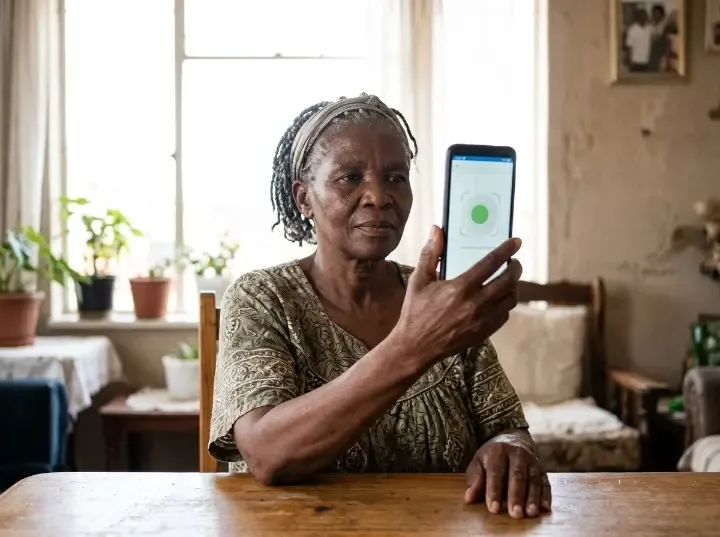
There is no single trigger rule, but it almost always happens when you select “Lost phone,” when your request is flagged in SASSA’s risk system, or when your profile has never completed eKYC before.
How it works
If the face scan keeps failing
Poor lighting is the number one cause. Sit facing a bright window or lamp with no light source behind you. Remove glasses, hats, and face masks. If your Home Affairs photo is very outdated and looks very different from you now, the system will not match you — visit a DHA office to update your photo first, then try again.
If the scan cuts out midway phone died, browser closed, connection dropped SASSA locks that request for 24 hours. Do not keep retrying the same link. Wait the full 24 hours and try again in the late morning when server load is lower.
When Does the Face-Scan Get Triggered?
SASSA decides per case. It is not automatically triggered by any one reason but these situations almost always trigger it:
How the Face Scan Works, Step by Step
No smartphone camera at all? Go to your nearest SASSA office. Staff can do the biometric capture in person.
Common errors and exactly what to do
|
Error you see |
What it means |
Fix |
|---|---|---|
|
Page does nothing after entering your number |
The number you entered is not linked to your SRD account |
Use the “Lost phone” path and enter your bank’s last 4 digits |
|
“Identity number is required” |
Form submitted with an empty ID field |
Go back and enter your full 13-digit SA ID number |
|
“Please select a reason” |
You skipped the reason dropdown |
Choose a reason before submitting the form |
|
“No application found” |
No SRD application exists under that ID number |
Check for a typo. If correct, you may need to apply first at srd.sassa.gov.za |
|
“Application incomplete” |
Your original application was never finished |
Complete the application at srd.sassa.gov.za before trying a phone change |
|
“Photo does not match DHA records” |
Your face did not match your Home Affairs photo |
Visit a DHA office to update your photo, or visit a SASSA office for in-person capture |
|
“Temporarily blocked” |
Face scan cut off midway, or max attempts reached |
Wait 24 hours and retry. If it keeps happening, visit a SASSA office |
|
“Invalid” or form fails on submit |
SASSA system overloaded or under maintenance |
Wait a few hours, switch to mobile data, or call 0800 60 10 11 |
If someone changed your SASSA number without your permission
Grant fraud through unauthorized phone-number changes is real and growing in South Africa. A fraudster gets your ID number, updates the phone on your SRD profile, and redirects your payment. If this happens, act the same day.
Signs this has happened
You received an SMS about a phone change you never requested. Payment notifications stopped arriving. Your status shows “paid” but you received nothing in your account.
You have a short window — use it
When SASSA processes any phone change, they send the real account holder a personalized link (srd.sassa.gov.za/sc19/[long code]). If you open that link and submit your ID the same day, it flags the change as unauthorized and stops the redirect before your money moves.
Recovery steps
Never share your 13-digit ID number or an OTP with anyone — not even people claiming to be SASSA agents on WhatsApp or by phone. SASSA will never call and ask for these. Changing your number is always free. Anyone charging you is a scammer.
All Methods Side by Side
|
Method |
App ID Needed? |
OTP Needed? |
Face-Scan Possible? |
Processing Time |
Best For |
|---|---|---|---|---|---|
|
Online Portal |
No |
To new number |
Yes via SMS link |
48 to 72 hours |
Most people with a new active SIM |
|
|
No |
May be required |
Possible |
Up to 14 days |
Mobile-first users, low data |
|
Toll-Free Call |
No |
No |
No |
14+ days |
No internet access |
|
SASSA Office |
No |
No |
In-person only |
1 to 5 working days |
Fraud, failed face-scan, no camera, complex cases |
|
Email to SASSA |
No |
No |
No |
Weeks (slow) |
Cannot visit office, as a last resort |
|
SIM Swap (Network Store) |
No SASSA form at all |
Not applicable |
Not applicable |
24 hours (network processing) |
When you still own the original number but lost the SIM |
Key Facts to Remember
Official update link: srd.sassa.gov.za/sc19/mobile-number-update
You no longer need your Application ID only your 13-digit SA ID number
Biometric eKYC face scan is mandatory for most changes since September 2025
Lost phone? Select “Lost phone” and use your bank’s last-4 digits instead of OTP
After a successful submission, your new number is live within 48 to 72 hours
One update request allowed per ID every 24 hours
If the face-scan fails, visit a SASSA office do not keep retrying online
Changing your number is completely free. Anyone charging you is a scammer
SRD grant remains R370 per month, extended to March 2027
Changing your number does NOT change your banking details or eligibility status
📞Toll-Free Helpline
0800 60 10 11
Monday to Friday, 8am to 4pm
Free from any SA network
082 046 8553
Also: 0600 123 456
Send “Hi” to start
🌐 SRD Portal
srd.sassa.gov.za
Only use .gov.za links
grants@sassa.gov.za
Include ID number and
reason in your email
FAQs
Conclusion
If there is one thing I want you to take from this guide, it is this: the 2026 SASSA phone-number update process is simpler than most people think but it has one new step that trips almost everyone up. That step is the biometric face-scan. I have seen beneficiaries try for weeks without success because no one told them about the lighting, about the 24 hour retry lock, or about the fact that a mismatch with their old Home Affairs photo means they need to go to DHA first. Once you know those things, the process usually resolves within 48 hours. I have helped family members in Cape Town and Johannesburg get this done in one sitting using the steps in this guide, and I have updated every detail here based on the live 2026 SASSA portal not old screenshots from 2024.
Use only the official link at srd.sassa.gov.za. Do not pay anyone. Do not share your OTP. If the website is giving you errors, step away, wait 24 hours, and try again with a stable connection and good lighting for the face-scan. If you have been waiting more than five days and still see no change, pick up the phone, call 0800 60 10 11, or walk into your nearest SASSA office. You have every right to access your grant and these steps exist to protect it.
For updates on SASSA payment dates, appeal results, and process changes, bookmark SASSA Status Check we update our guides every time the official SASSA process changes.